Search strategy tips for finding scholarly articles about authors with "CHEEPS" themes in the library databases
- "CHEEPS" Themes: Cultural, Historical, Educational, Economical, Political, Social
In
many cases, you can change the focus of each search field in a database
to specify that your search term(s) must appear in the article title,
or abstract, or subject. Experiment with the available search fields in
each database to see how your results change.
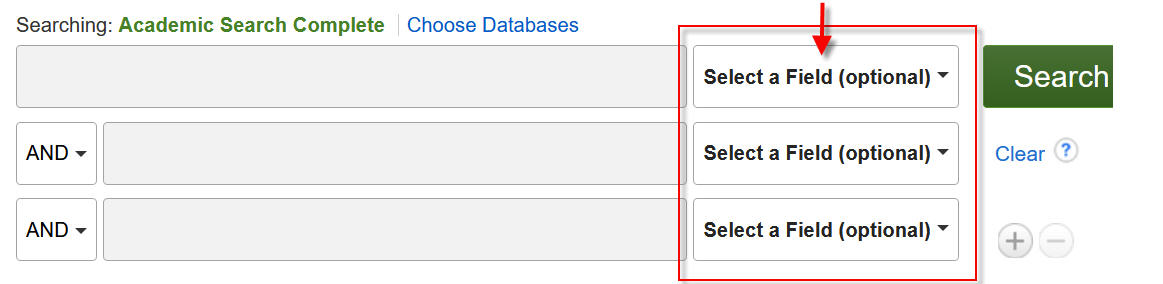
Here's some example search strategies that use types of search fields that appear in most databases:
Start with the following strategy that searches a database for your selected author name as the subject of an article. Remember to select the field type indicated
below in bold.
SU Subject Terms: enter an author's first and last name
Then add any one of these strategies into another available search field using a truncated form of the "CHEEPS" terms: cultur* , histor* , educat* , econom* , politic* , soci*. Remember to select the field type indicated
below in bold.
AB Abstract or Author-Supplied Abstract: cultur*
AB Abstract or Author-Supplied Abstract: histor*
AB Abstract or Author-Supplied Abstract: educat*
AB Abstract or Author-Supplied Abstract: econom*
AB Abstract or Author-Supplied Abstract: politic*
AB Abstract or Author-Supplied Abstract: soci*
I
included the * asterisk symbol a the end end of the CHEEPS terms in my
examples to also search for alternate forms of each CHEEPS term, i.e.: culture, history, education, professionalism, economics, politics, society.